Chakor: Your AI, on Your Hardware
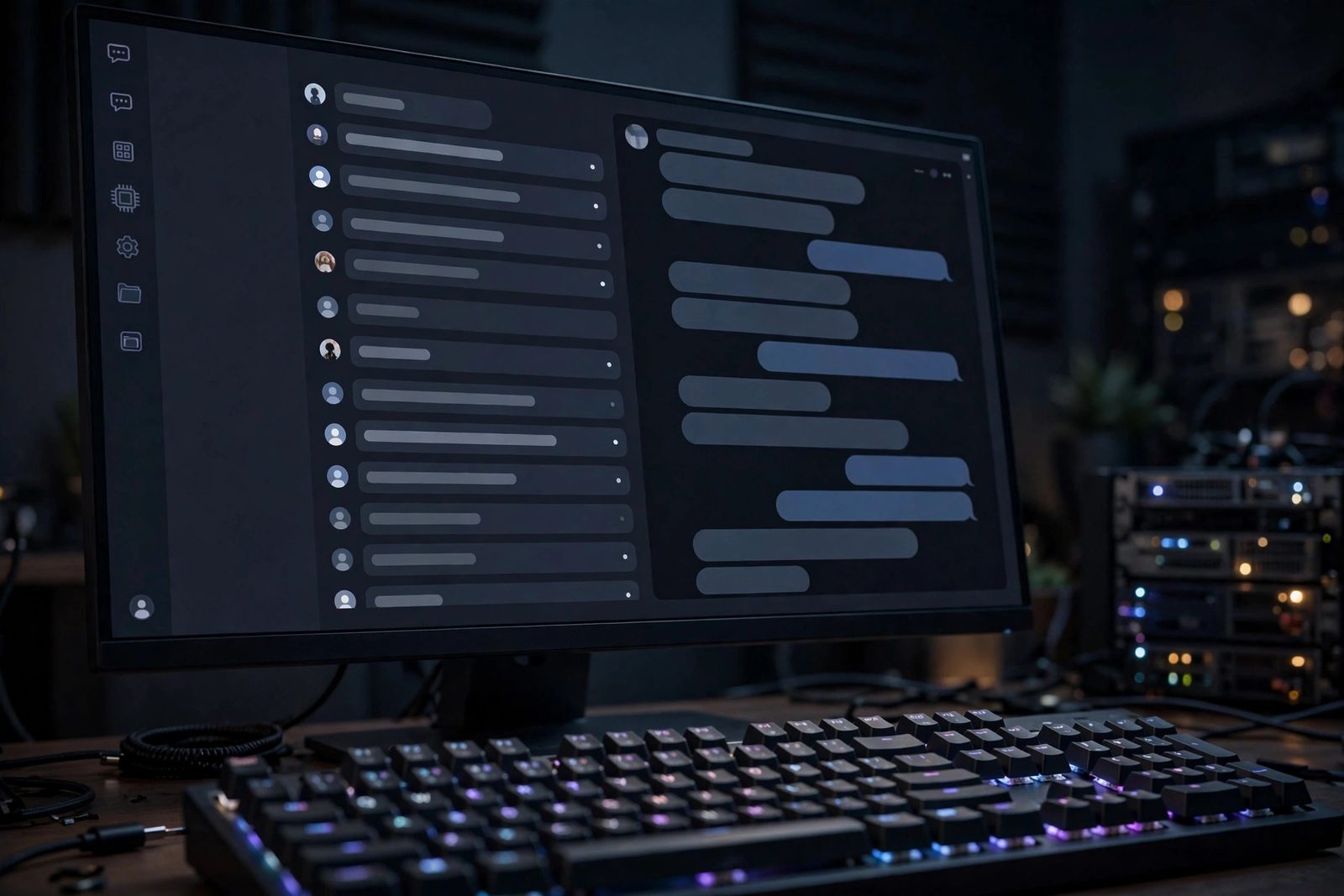
An open-source AI workspace you run yourself. Local and cloud models, web search, document chat, model compare, notes, and memory, all private on your own machine.
What You Will Learn / Do
- Stand up a private AI workspace with Docker, a one-command installer, or a manual dev build.
- Connect local engines (llama.cpp, Ollama, LM Studio) or bring your own cloud API keys.
- Download GGUF models from Hugging Face in-app and switch models from the UI, no terminal.
- Stack: Next.js 15, React 19, TypeScript, Tailwind, SQLite (better-sqlite3), Auth.js v5 · License: MIT
Overview
Chakor is an open-source AI workspace that runs entirely on hardware you control. Point it at a local model or your own API keys, then chat, search the web, talk to your documents, compare models side by side, and run real research. Conversations live in a SQLite database on your disk, not in someone else's data center. It is a lighter, friendlier alternative to Open WebUI and an open-source answer to LM Studio that also runs on a server and on your phone.
Three things set it apart: it reads your RAM and GPU and tags every model FITS, TIGHT, or TOO BIG so you never load one that crashes; it downloads GGUF models from Hugging Face in the background straight into your models folder; and it switches between llama.cpp, Ollama, and LM Studio in one tap, freeing the previous model first so two never fight for the same VRAM.
Architecture Overview
One file, no database server: better-sqlite3 keeps the whole workspace in a single SQLite file, which makes backup and migration trivial. The tradeoff is write serialization, so WAL mode and short transactions matter once multiple users write concurrently; read-heavy single-node use is where this design shines.
Quick Start
Pick whichever fits you. All three end with the app on http://localhost:3001. The first account you register becomes the admin. The default registration mode is invite; the default invite code is change-me, so change INVITE_CODE in your .env before exposing the app. For a solo setup, you can set REGISTRATION_MODE=open instead.
Option 1: Docker (Linux, macOS, Windows)
The least-fuss path. Install Docker, then clone and bring it up; a secret key is generated and stored in the data volume.
git clone https://github.com/TYFSADIK/chakor.git && cd chakor && docker compose --profile ollama up -dOption 2: One-command installer (Linux, macOS, Android)
The hands-off path. The installer detects your OS and package manager and installs Git, a build chain, Node 20+, and Ollama, then starts Chakor. On Android, run the same command inside Termux and your phone becomes the server.
git clone https://github.com/TYFSADIK/chakor.git && cd chakor && bash install.shsudo bash install.sh --yes --service # fresh server, unattended, 24/7 systemd serviceOption 3: Manual (for developers)
npm install --legacy-peer-deps && cp .env.example .env.local && npm run build && npm startGet a Model
Chakor needs something to talk to. The simplest route is Ollama; Chakor auto-discovers its installed models.
ollama pull llama3.2- llama.cpp: point
LLAMA_SERVER_BINat yourllama-serverand Chakor supervises it. No model yet? Use Settings → Models → Download from Hugging Face, with a fit tag per quant. - Cloud keys: set
OPENAI_API_KEY,ANTHROPIC_API_KEY,GOOGLE_AI_API_KEY, or oneOPENROUTER_API_KEYfor hundreds of models. - Hardware-aware: Settings → Models shows detected RAM/GPU and marks each model FITS, TIGHT, or TOO BIG with a RECOMMENDED pick.
How Model Switching Works
Switch model per message from the chat header, flip engines (llama.cpp / Ollama / LM Studio) in one tap, and download in the background so you can close the tab. On a roomy GPU, enable "keep multiple models loaded" for instant switching; on a modest machine it stays safely one-at-a-time so two models never OOM.
Key Features
- Models, your way: local (Ollama/LM Studio/llama.cpp, GPU or CPU) and cloud (OpenAI, Anthropic, Google, OpenRouter), switchable per message.
- Knowledge + web: built-in web search (SearXNG → Brave → DuckDuckGo fallback), document chat (PDF/text/markdown), and a cited research mode.
- More than a chat box: blind A/B Compare with a leaderboard, cross-conversation Memory, a Keep-style Notes panel, folders/tags/archive, vision input, and shareable links.
- Private + yours: no telemetry, local SQLite storage, multi-user with an admin panel, a live theme editor, and full rebrand from one config file. Installable as a PWA on phone and desktop.
Testing & Validation
After startup, open http://localhost:3001 and register the first (admin) account, then confirm a model responds:
curl -s -o /dev/null -w "%{http_code}\n" http://localhost:3001You should see 200, the model picker should list your Ollama/LM Studio models or cloud providers, and a test prompt should stream a reply. If all three hold, your private AI workspace is live.
Troubleshooting
- Installer stopped partway: re-run
bash install.sh, it is safe to re-run and skips finished steps; the log is ininstall.log. - npm install fails on peer deps: use
npm install --legacy-peer-deps. - Chat cannot connect: confirm Ollama, LM Studio, or llama.cpp is running, or set a cloud key. Settings → Models shows which engines are up.
- Local model keeps crashing: it is likely TOO BIG; pick the recommended fit or switch engines from the model menu.
- Cannot sign in after first run: the first registered account is admin; check
REGISTRATION_MODEandINVITE_CODE.
Key Results
- Delivered a self-hosted AI workspace with local conversation storage and no telemetry. Note: enabling cloud providers or web search sends message content and derived queries outside your machine.
- Unified 3 local engines plus 4+ cloud providers behind one UI, switchable per message.
- Added hardware-aware model fit tagging that prevents out-of-memory crashes on load.
- Shipped a hands-off installer that provisions every dependency in one command.
How I built it
Chakor started as my answer to a privacy problem: I wanted a modern AI workspace, but I did not want my prompts, documents, or notes leaving my own hardware. The design keeps every byte local by default while still supporting cloud models for the moments a local GPU is not enough.
- Phase 1, application skeleton: Built the Next.js and TypeScript frontend with server-side API routes, backed by SQLite so the whole app runs from a single file database with no external services.
- Phase 2, model backends: Integrated local runtimes (Ollama, llama.cpp, LM Studio) alongside optional cloud providers, with a unified interface so switching models never changes the workflow.
- Phase 3, knowledge features: Added document chat with retrieval, live web search, and a model comparison view so answers can be checked side by side.
- Phase 4, personal workspace: Added notes and long-term memory so the assistant builds context across sessions instead of starting cold every time.
- Phase 5, packaging and release: Containerized the stack with Docker and published it as open source under the MIT license so anyone can self-host it.
What you need
| Category | Item | Notes |
|---|---|---|
| Hardware | Any modern PC; a GPU helps for larger local models | Small models run on CPU; 7B+ models benefit strongly from VRAM |
| Software | Node.js, Next.js, TypeScript, SQLite | The app stack, all open source |
| Software | Ollama, llama.cpp, or LM Studio | At least one local model runtime |
| Software | Docker and Docker Compose | For the one-command self-hosted deployment |
| Skills | JavaScript/TypeScript and basic LLM concepts | Prompting, context windows, model quantization basics |
Challenges and lessons learned
- Model switching state: each backend has its own quirks for streaming and context limits, so a clean abstraction layer was needed. Lesson: hide provider differences behind one interface early, before the UI depends on any of them.
- Streaming reliability: server-sent event streams can drop on flaky networks, leaving half-rendered answers. Lesson: add client-side reconnection and treat every stream as resumable.
- Memory without bloat: storing everything forever makes retrieval noisy. Lesson: keep memory summaries compact and let the user inspect and delete what the assistant remembers.
What is next
- Deeper document intelligence: multi-document comparison and cited answers with source highlighting.
- Voice input and output for hands-free sessions.
- A plugin system so community integrations do not require forking the codebase.
- Mobile-friendly UI refinements for the workspace on phones and tablets.
Request Lifecycle
Every chat message travels the same path through the stack, from the browser down to a model engine and back. The flow below follows the modules named in the architecture diagram: the API route authenticates and validates the request, the dispatcher trims the conversation to fit the model’s context window and selects a provider, optional tools (web search and document retrieval) add grounding, the engine streams tokens back to the browser, and the finished exchange is persisted to the local SQLite database.
Two branches in this flow decide where your data goes, and the next section breaks them down: the local/cloud decision at inference time, and the tool decision that can send derived search queries to external search providers even when the model itself is local.
Privacy Architecture
Chakor is private by default, not private unconditionally. The boundary depends on which engine and which tools a message uses, and the UI makes that boundary explicit rather than hiding it.
- Local inference keeps data on your hardware. When a message runs on llama.cpp, Ollama, or LM Studio, the prompt, conversation history, retrieved document chunks, and memory are processed on the host machine. The only routine network traffic in this mode is downloading GGUF models from Hugging Face, which sends no user content.
- Cloud providers receive what you send them. When a message is routed to OpenAI, Anthropic, Google, or OpenRouter, the prompt and the assembled context (including memory and any retrieved document text) leave your machine and are processed under that provider’s data policy. This is a per-message choice, so sensitive chats can stay local while cloud models handle the rest.
- Web search leaves regardless of model. Enabling web search sends derived queries to SearXNG, Brave, or DuckDuckGo. A local model does not make search local; the query content is visible to whichever search backend answers it.
- Storage is a file you own. Conversations, notes, and memory live in one SQLite database on your disk. There is no telemetry and no sync to an external service; backup and deletion are ordinary file operations.
- Shared links are a deliberate exception. The shareable-link feature makes a chat readable by anyone who has the link, so treat sharing as publishing.
Component Reference
The table below maps each component to its responsibility, technology, and dependencies. Status is reported honestly: Documented means the component is described in the project repository and documentation as shipped; it does not mean the implementation was independently audited for this page. Planned means it appears in the roadmap only.
| Component | Responsibility | Technology | Dependencies | Status |
|---|---|---|---|---|
| Web UI | Chat interface, model picker, settings, notes panel, compare view | Next.js 15, React 19, Tailwind | App server API routes | Documented |
| Chat API | Authenticate session, validate input, stream responses (module /api/chat) | Next.js API routes, TypeScript | Auth.js session, dispatcher | Documented |
| System prompt | Baseline assistant behavior (lib/system-prompt.ts) | TypeScript | None | Documented |
| Dispatcher | Route messages to a provider, trim context to the model window (lib/dispatch.ts) | TypeScript | Provider layer | Documented |
| Provider layer | Unified interface over Ollama, OpenAI, Anthropic, Google, OpenRouter (lib/providers.ts) | TypeScript | Provider APIs, cloud API keys | Documented |
| llama.cpp supervisor | Spawn and manage the local llama-server child process, free models before switching (lib/llama-supervisor.ts) | TypeScript, llama.cpp | llama.cpp binary, GGUF models | Documented |
| Agent + tools | Function calling for tool use (lib/agent.ts, lib/tools.ts) | TypeScript | Search and retrieval modules | Documented |
| Web search | Live search with fallback chain SearXNG → Brave → DuckDuckGo (lib/searxng.ts) | TypeScript | SearXNG instance or search APIs | Documented |
| Document retrieval | Chunk and retrieve document context for chat (lib/rag.ts) | TypeScript | SQLite, uploaded documents | Documented |
| Database | Persist chats, messages, notes, memory, users (lib/db.ts) | SQLite via better-sqlite3 | Local filesystem | Documented |
| Authentication | Accounts, sessions, first-account admin, invite-gated registration | Auth.js v5 | SQLite, AUTH_SECRET | Documented |
| Model downloads | Background GGUF downloads from Hugging Face with hardware fit tags | TypeScript, Hugging Face hub | Network access, disk space | Documented |
| Installer | OS detection, dependency provisioning, optional systemd service | Bash (install.sh) | Git, Node 20+, package manager | Documented |
| Container deployment | One-command self-hosted run | Docker Compose | Docker, optional Ollama profile | Documented |
| Plugin system | Community integrations without forking | To be determined | Core API stabilization | Planned |
| Voice input/output | Hands-free sessions | To be determined | Browser speech APIs or local models | Planned |
AI Security
Self-hosting moves the trust boundary onto your own machine, but an AI workspace still has its own attack surface: API keys, untrusted retrieved text, and expensive compute. The items below distinguish what the project documents from what remains a design goal.
-
API key handling (documented pattern): cloud provider keys are set as
server-side environment variables (
OPENAI_API_KEY,ANTHROPIC_API_KEY,GOOGLE_AI_API_KEY,OPENROUTER_API_KEY), for exampleOPENAI_API_KEY=<your-openai-key>in.env.localor the Docker environment. Keys never ship to the browser. Design goal: encryption of stored secrets at rest and per-user keys are not currently documented, so treat the host environment file as the security boundary and restrict its file permissions accordingly. - Input validation (documented): the chat API authenticates the session and validates input before dispatch, and the dispatcher trims conversations to the target model’s context window rather than letting unbounded history through.
- Prompt injection via tools (design goal): document chat and web search both inject third-party text into the model’s context, and that text can contain adversarial instructions (“ignore previous instructions”). The mitigation direction is to treat retrieved content as data, not commands: wrap search results and document chunks in clear delimiters, keep tool outputs visible to the user, and cite sources so injected claims are attributable. This is a stated design goal, not a verified control; assume a determined injection in a retrieved page can still influence answers.
- Resource exhaustion (partially documented): local inference is naturally bounded by the host, and the FITS / TIGHT / TOO BIG fit tagging prevents loading models that would exhaust memory, while the supervisor frees the previous model before switching so two never contend for the same VRAM. Design goal: per-user request rate limits and token budgets are not yet documented, so an authenticated user can still queue arbitrarily expensive requests; put the app behind a reverse proxy with request limits if you expose it to others.
-
Registration control (documented): the default registration mode is
invite-only with a default invite code of
change-me; changeINVITE_CODEbefore exposing the app, or setREGISTRATION_MODE=openonly for a solo setup. The first registered account becomes the admin. - Audit logging (design goal): an admin panel exists for multi-user management, but a structured audit log of logins, provider use, and admin actions is not documented. If you run Chakor for a team, front it with a reverse proxy that logs requests until first-party audit logging lands.
Data Model
Persistence is deliberately simple: better-sqlite3 keeps the whole workspace in a single SQLite file with no database server. At the level this page documents, the store revolves around four entities: chats and their messages, plus the notes and memories that give the assistant continuity across sessions. The diagram below is an illustrative sketch of those relationships, not a verified schema dump; the authoritative schema lives in the repository.
The single-file design makes backup, migration, and full deletion trivial file operations. The tradeoff is write serialization: SQLite allows one writer at a time, so WAL mode and short transactions matter once multiple users write concurrently. For the read-heavy, single-node deployments Chakor targets, that tradeoff is the right one.
Deployment
The Quick Start above covers the three install paths; this section is about running the result as a service you trust. A typical self-hosted deployment looks like this:
-
Install: use Docker Compose (with the
ollamaprofile if you want a bundled local engine) or the unattended installer (sudo bash install.sh --yes --service) which registers a systemd unit for 24/7 operation. -
Configure secrets before first exposure: generate
AUTH_SECRETwithopenssl rand -base64 32, replace the defaultINVITE_CODE=<your-invite-code>, and add any cloud keys you intend to use, for exampleANTHROPIC_API_KEY=<your-anthropic-key>. Keep the environment file readable only by the service account. - Put HTTPS in front: Chakor serves HTTP on port 3001; terminate TLS at a reverse proxy (Nginx, Caddy, or a tunnel such as Cloudflare Tunnel, matching the rest of this homelab) before exposing it beyond localhost.
-
Point it at models: pull an Ollama model, load one in LM Studio, set
LLAMA_SERVER_BINfor a supervised llama.cpp server, or rely on cloud keys. The model picker shows which engines are actually up. - Back up the state: snapshot the SQLite database file (and uploaded documents, where stored alongside it) on a schedule; that single file is the whole workspace.
Environment variable names listed here (AUTH_SECRET, INVITE_CODE,
REGISTRATION_MODE, LLAMA_SERVER_BIN, and the provider keys) are
the ones documented on this page; consult the repository’s example environment file
for the complete, current list.
Limitations and Future Work
- Single-node by design: one app process, one SQLite file, one writer at a time. There is no horizontal scaling story; the design optimizes for a self-hoster or a small team, not a fleet.
- Local quality ceiling: local models are bounded by the host’s RAM and VRAM. The fit tagging prevents crashes, but it cannot make a small model answer like a frontier one; cloud providers remain the escape hatch.
- Tool trust: web search and document chat ingest untrusted text, and prompt-injection hardening is a design goal rather than a proven control (see AI Security).
- Streaming resilience: long streamed answers can still drop on flaky networks; reconnection handling exists, but treating every stream as resumable is ongoing work.
- Unaudited security surface: rate limiting, audit logging, and at-rest secret encryption are not yet documented as implemented.
Future work builds on the roadmap above: deeper document intelligence with cited answers, voice input and output, a plugin system so integrations do not require forking, and continued mobile UI refinement for the installable PWA.
References
- Next.js documentation, the application framework and API routes.
- Ollama, local model runtime and model library.
- llama.cpp, the inference engine behind the supervised local server.
- SQLite documentation, the embedded database that stores the workspace.
- better-sqlite3, the Node.js SQLite binding used by the data layer.
- Auth.js, the authentication library behind accounts and sessions.
- Chakor repository and project documentation.
Cite This Page
Citation formats
Plain text
Taki Sadik, "Chakor: Your AI, on Your Hardware", TYFSADIK, https://tyfsadik.org/work/infrastructure/chakor (accessed 2026-10-22).BibTeX
@misc{sadik-chakor,
  author  = {Sadik, MD. Taki Yasir Faraji},
  title   = {Chakor: Your AI, on Your Hardware},
  year    = {2026},
  url     = {https://tyfsadik.org/work/infrastructure/chakor},
  urldate = {2026-10-22}
}
APA
Sadik, M. T. Y. F. (2026). Chakor: Your AI, on Your Hardware. TYFSADIK. https://tyfsadik.org/work/infrastructure/chakor